Real work on your real files.
One AI agent, any model — cloud or fully local.
Nabu is an AI agent for your Mac. Point it at your computer and the web and it gets things done — with your own API keys, any OpenAI-compatible provider, or a local model that never touches the cloud. Every step visible, anything risky asked first, any change undoable in one click.
How it works
See every step. Undo anything.
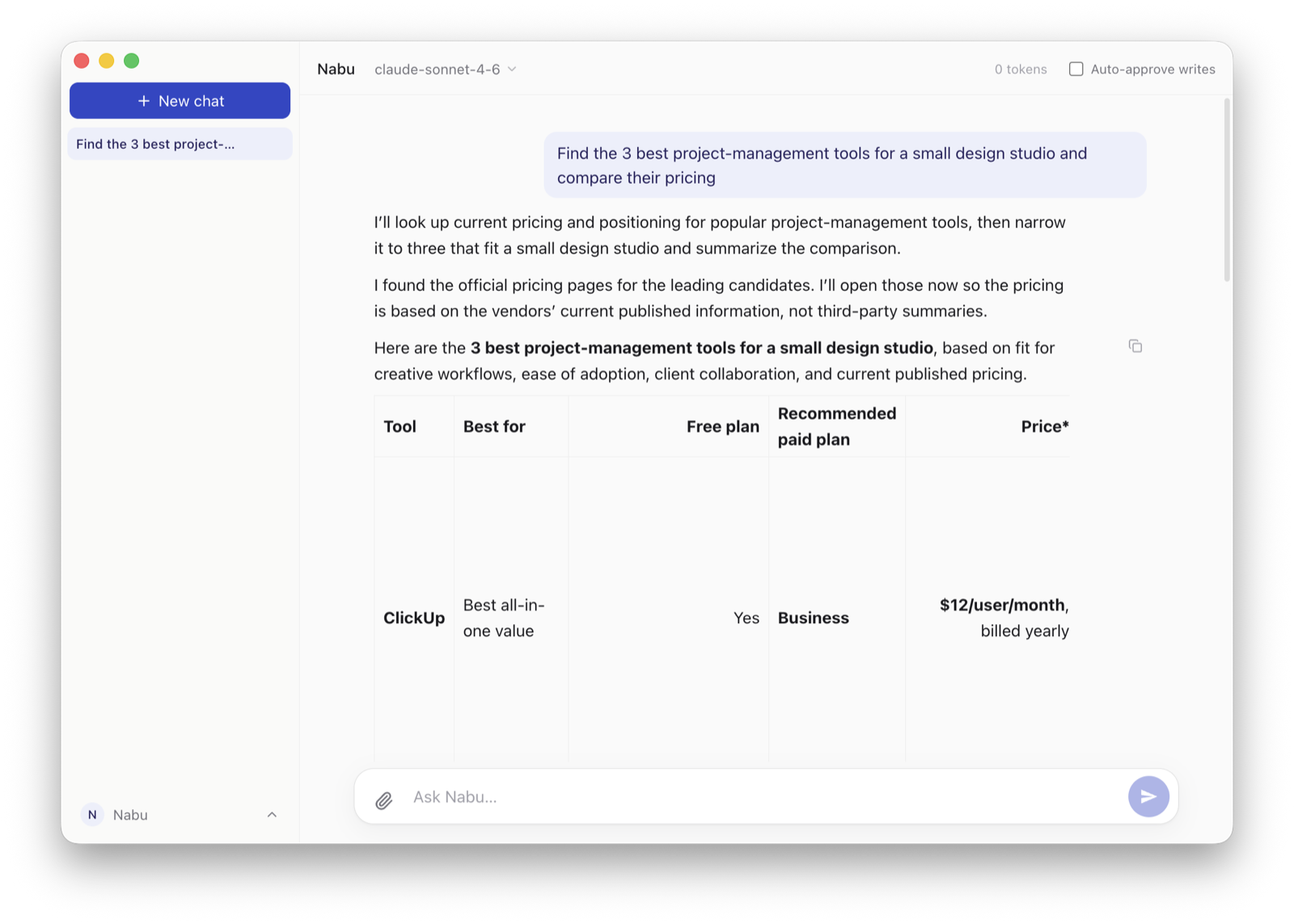
This is the part that matters: an agent you can trust with your real files. You watch every move, approve anything risky, and undo the last change in one click if it wasn’t what you wanted. Most agents stop at “are you sure?” — Nabu can take it back.
- See every step. A live log of every action.
- Approve anything risky. Nabu asks first.
- Undo in one click. Roll back a change you didn’t mean — Nabu snapshots before it acts.
- Recovers when a step fails. No dead ends — it reroutes and explains what happened in plain words.
- Explains in plain language. What happened and why — words, not error codes.
What it does
Not a chatbot. An operator for your computer.
Most AI assistants can only talk. Nabu acts — on the real files, sites, and tools you already use, right on your desktop.
And it works the fast way — through real commands and open standards, not by squinting at your screen pixel by pixel. That keeps it quick and cheap where screen-watching agents crawl and rack up cost.
Your files
Find, read, write, and organize — make a messy folder make sense.
The web
Search, read, and research — with sources you can check.
Your apps & terminal
Run real tasks end to end — not just draft instructions.
Documents & spreadsheets
Read PDFs, images, Word docs and Excel sheets — put them to work, not just open them.
Connectors
Connect your world.
Nabu plugs into the apps you already use — through an open standard, so the list keeps growing. Beyond the ones below, you can add any server from the public directory inside the app, and Nabu shows you where it came from before it connects. Every connector runs through the same approval gate.
Google Drivenow
Search, read and create files & Google Docs — live today.
Emailsoon
Triage your inbox, pull out invoices, and draft replies — Gmail or Outlook.
Calendarsoon
Prep for meetings and put events in place.
Notes & wikisnow
Read and fill your Notion knowledge base — live today.
Messagingsoon
Watch a Slack channel, summarize it, reply to the point.
Trackers & issuesnow
Linear, Asana and Jira — read what’s open, file and update work. Live today.
Private & yours
Any model. Your machine. Your data.
Nabu is a harness, not a model — it works for you, not for a lab.
Bring any AI
OpenAI, Claude, or any OpenAI-compatible provider — cheap or top-tier, switch anytime, no lock-in. Nabu picks the right model for each task — and gets better as every model does.
Runs on your computer
Or the cloud when you need more power — private enough for contracts, medical notes, financials.
Model Hubnow
Download a local model in one click — Nabu checks your computer can run it first, then runs it through Ollama, fully offline. No cloud, no tokens, nothing leaves.
Private by default
Nothing leaves your machine without your say. You decide what Nabu sees.
Knows your world
Nabu learns your files, accounts, and routine — and gets more useful the more you use it. All yours.
Skills & playbooks
Pro know-how, one click away.
Ready-made recipes turn a hard job into a single ask — today. Next: a marketplace where experts share and sell playbooks, so anyone gets professional-grade automations in a click.
Skillsnow
Curated recipe playbooks — Research, Email, Summarize, Organize, Plan — ready in the composer.
Your own playbooksnow
Teach Nabu something once, then call it by name. Capture a message you liked as a playbook, build one step by step, and share it as a file — anyone can import it, seeing what it will do before they say yes.
Playbook marketplacesoon
Experts publish and sell step-by-step playbooks; you get pro results out of the box.
Who it’s for
Built for everyone, not just coders.
Powerful agents were a developer thing. Nabu brings that superpower to everyone drowning in computer busywork.
Small businesses & solo owners
The admin between you and the actual work.
- “Collect the month’s invoices and expenses.”
- “Research suppliers or competitors.”
- “Turn this messy folder into order.”
- “Draft the tedious admin.”
Professionals
Lawyers, accountants, realtors — anyone whose week is documents.
- “Read this contract and flag the risky clauses.”
- “Reconcile these statements and spreadsheets.”
- “Pull together and format listings or filings.”
Coming soon
Where Nabu is headed.
Today Nabu already works your files, documents and spreadsheets, the web, and your apps — Google Drive, Notion, Linear, Asana, Jira — and undoes any change. Next it grows further: scheduled and background work, your own agents, more data types, your phone, and a marketplace of playbooks. On the roadmap, not in the app yet.
Work with more than files
From a folder of documents to your whole data stack.
Videosoon
Transcribe, trim, and assemble — pull the moments that matter.
Databasessoon
Ask your data in plain words; fill it and tidy it up.
Make it yours
Not just a helper — something you shape around your life.
Your own agentssoon
Build an agent for your routine — “my social media”, “my bookkeeper” — and run it with a tap.
Schedules & backgroundsoon
“Every Monday, collect my invoices.” “Watch this folder.” Nabu works on its own.
From your phonesoon
Kick off a task on your home computer from your phone — results in your pocket.
Marketplacesoon
Get skills, playbooks, and agents from others — and share your own.
Pricing
Free forever. Upgrade when you need more.
The whole app is free. Paid plans take two steps below — your email, then your plan. After paying, sign in to the app with that same email — your plan is active.
Pick a plan Payment opens in a new tab.
Free
$0 forever
- The whole app — files, terminal, web
- One-click undo, forever
- Any model · local models · your data stays yours
Pro
$9/mo
or ·
- Everything in Free
- Voice control — dictate, read aloud, hands-free
- Premium playbook packs + supporter status
- Runs on your own API key
Models included
Pro+
$19/mo
- Everything in Pro
- No API key needed — we provide the models
- Heavier requests use your allowance faster — the app shows how much is left
Max
$49/mo
- Everything in Pro+
- 2.5× the monthly allowance of Pro+
- For heavy, every-day work
Models included with Pro+ and Max
Twelve models, the same on both plans. No API key of your own, nothing to top up — the plans differ only in how much you can run per month.
- ClaudeOpus 5 · Fable 5 · Sonnet 5 · Haiku 4.5 · Opus 4.8 · Opus 4.7 · Sonnet 4.6
- GPT5.6 Sol · 5.6 Terra · 5.6 Luna · 5.5
- ImagesGPT Image 2
Or pick Auto and Nabu chooses per request — light work goes to a light model — then signs each answer with the one it used.
How the allowance works
Two limits run at once: a rolling 5-hour window, and a calendar month that resets on the 1st (UTC). Heavier models use the allowance faster. The app always shows what’s left as a percentage, and when it resets. Max carries 2.5× the monthly allowance of Pro+, and 2× its allowance within the 5-hour window. Free and Pro have no allowance at all — your own API key or a local model, nothing to run out of.
Download Nabu — free.
The whole product is free, with one-click undo forever. Upgrade to Pro whenever you want.
Universal macOS build — Apple Silicon and Intel. Signed with an Apple Developer ID and notarized by Apple, so it opens like any other app: no warnings, no trip through System Settings. From then on it updates itself in the background and asks you to restart when a new version is ready.
Windows — the same Nabu, with two honest caveats. Same code and the same tests as the Mac build. It is not code-signed yet, so Windows will show a blue “Windows protected your PC” screen: click More info, then Run anyway. And far fewer people have run Nabu on Windows so far — if something looks wrong, tell us at hello@nabu.im and it gets fixed quickly. On the releases page, the file you want is nabu-…-setup.exe.
FAQ
Questions, answered.
What is Nabu?
Nabu is an AI agent for your Mac — a desktop app that does real work on your files, documents, apps, and the web. You describe the outcome; Nabu does the steps, shows each one, and lets you undo any change in one click.
Is it safe to let an AI agent use my computer?
That worry is what Nabu is built around. It shows every action in a live log, asks before anything risky, and snapshots before each change — so anything it does can be taken back in one click. Nothing leaves your machine without your say.
Which AI models can I use?
Any of them. Bring your own API key for OpenAI, Claude, or any OpenAI-compatible provider; get twelve models included with Pro+ or Max; or download a local model from the Model Hub and skip the cloud entirely.
Can Nabu work offline?
Yes. The Model Hub downloads a local model in one click, checks your computer can run it first, and runs it through Ollama — fully offline. No cloud, no tokens, nothing leaves your machine.
Is Nabu free?
The whole app is free, forever — files, terminal, web, one-click undo. Paid plans add voice control and included models, but the free version is the full product, not a trial.
Does Nabu run on Windows?
Yes. Nabu ships for macOS as a universal build for Apple Silicon and Intel, signed and notarized by Apple, and for Windows as a 64-bit installer. The Windows build is the same code and the same tests, with two honest differences: it is not code-signed yet, so Windows shows a blue “Windows protected your PC” screen — click More info, then Run anyway — and far fewer people have run it so far, so tell us at hello@nabu.im if something looks wrong.
Where it’s going
This is the beginning.
Nabu is becoming the way anyone gets things done on a computer. Describe a whole outcome — build me a simple website — and Nabu handles the moving parts, still showing every step.
Next on the way there: your phone as a window into your own computer — the work keeps happening on your machine, you just watch it and approve from the sofa. Whatever we have to keep in sync will be encrypted so that we cannot read it, because “your data stays yours” has to survive contact with the cloud. We’re building toward that in the open.
Named for Nabu, the ancient scribe — keeper and doer of knowledge. A modern scribe, for everyone.
Updates
Get product updates.
New features and new releases, straight from the people building it. No spam.
Occasional updates — new features and new releases. Nothing else.